

Déclencheur
Les commandes payées, les renouvellements, les retards de paiement et les actions manuelles sur un service lancent le processus.
Automatisation et mise en service
WISECP transforme les commandes payées, les dates de renouvellement et les événements de service en jobs mis en file d'attente, exécute les actions des modules et garde visibles les nouvelles tentatives, les erreurs et les commandes manuelles au sein d'un seul système d'automatisation traçable.
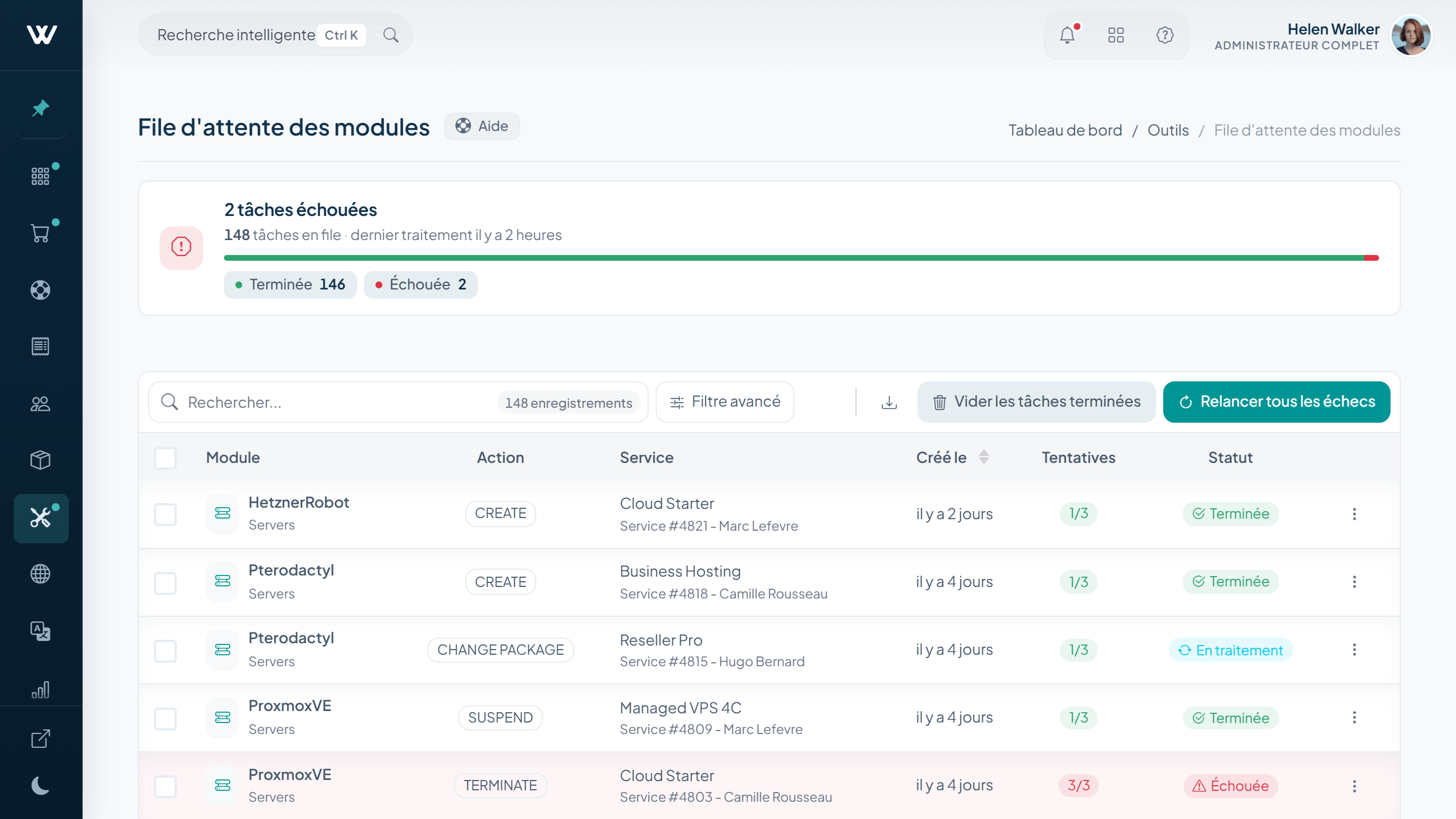
Plan de contrôle de l'automatisation
Une commande payée, une date d'échéance, un retard de paiement ou une action d'un collaborateur devient un job doté d'un chemin d'exécution clair et d'un résultat visible.
Les commandes payées, les renouvellements, les retards de paiement et les actions manuelles sur un service lancent le processus.
Les jobs portent le nombre de tentatives, le worker responsable, l'état du heartbeat et l'heure de la prochaine tentative.
Créer, suspendre, réactiver, résilier, réinstaller ou reconstruire le service via son module.
Mettre à jour l'état du service, poursuivre les jobs enfants et envoyer la notification client correspondante.
Traçabilité robuste des jobs
Chaque job en file d'attente porte son propre historique de tentatives. Les clés d'idempotence protègent contre les traitements en double, tandis que les heartbeats du worker et la planification de la prochaine tentative gardent l'exécution traçable.
Cycle de vie du service
L'automatisation prend en charge les changements d'état courants, tandis que les collaborateurs peuvent consulter la fiche du service et intervenir lorsqu'un cas demande un arbitrage.
Les demandes d'upgrade et de downgrade passent par les états En attente, En cours, Programmé et Terminé, avec des options de calcul au prorata et de remboursement.
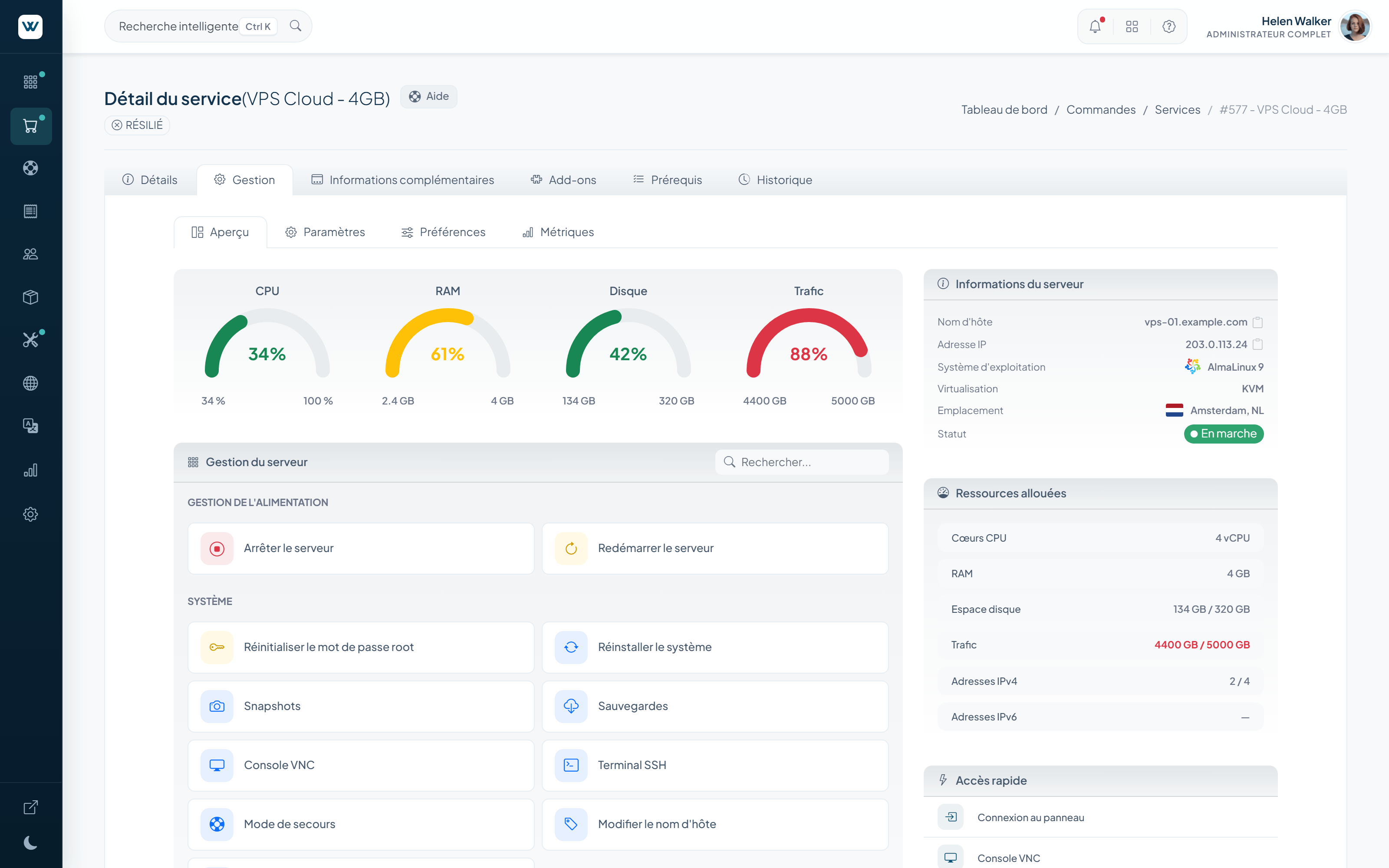
Tableau de bord de l'automatisation
Un catalogue consultable de 72 tâches enregistrées réunit la facturation, les services, les domaines, l'assistance et les travaux d'infrastructure dans un seul centre de contrôle.
Génération des factures, factures à l'usage, paiement automatique, rappels, avis de retard et pénalités de retard.
Suspension, suspension liée à l'usage, résiliation, suppression des comptes serveur et traitement des demandes.
Avis de renouvellement et d'expiration, gestion des périodes de grâce et de rédemption, renouvellement du verrouillage du transfert, synchronisation des transferts et expiration des certificats SSL.
Email Pipe, automatisation des tickets, fermeture automatique, notifications en masse et file de notifications.
Jobs de module, collecte des métriques, synchronisation des coûts cloud et des stocks, sauvegardes, conservation et nettoyage.
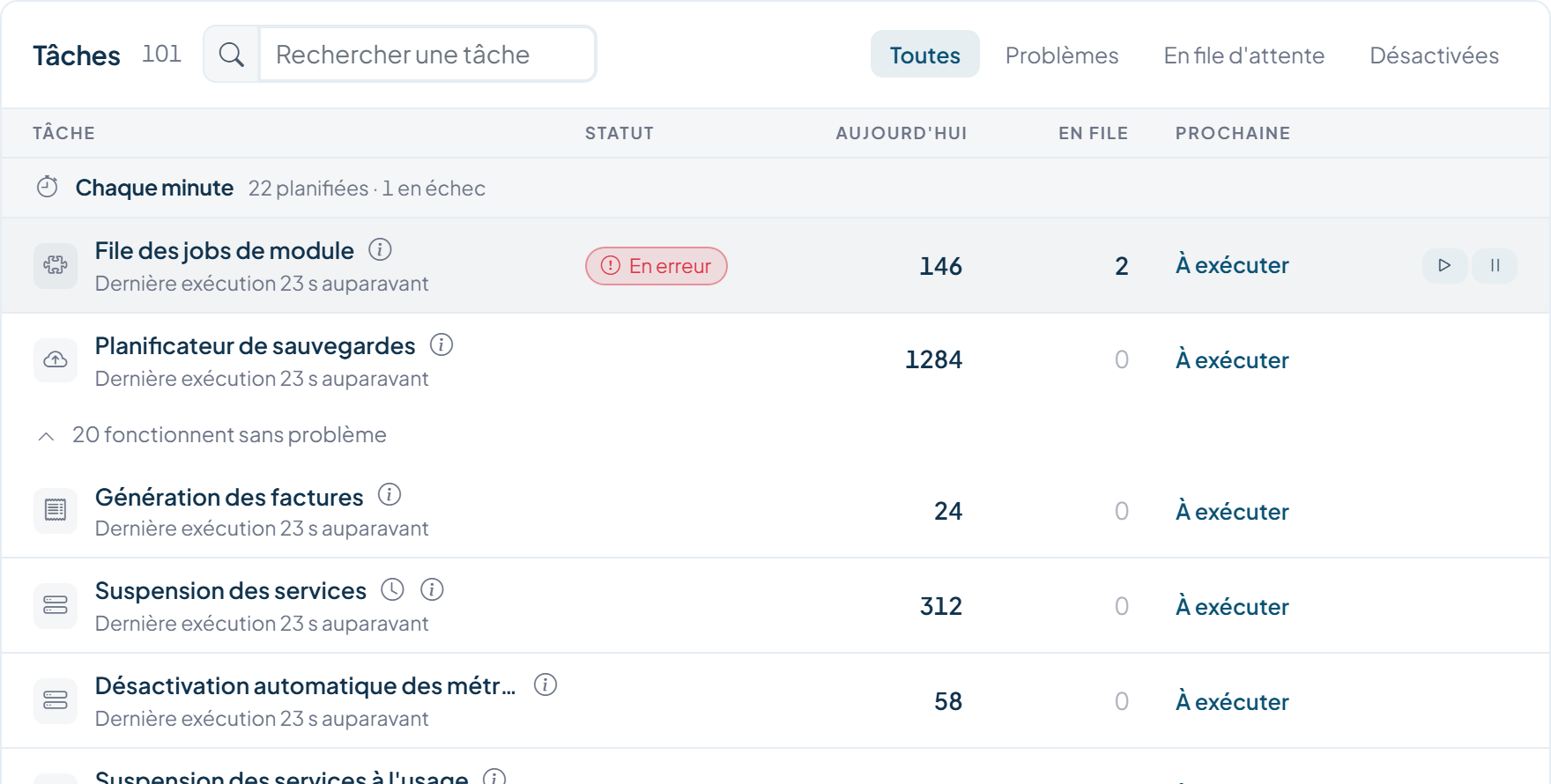
Consultez la dernière exécution, le prochain job, le travail en cours, le travail en attente et les échecs.
Restreignez le catalogue aux problèmes, au travail en attente, aux tâches actives ou aux tâches désactivées.
Filtrez l'historique d'exécution par tâche, étape, période et état d'achèvement.
Examinez les onglets Résultats, Infos, Données et Tentatives, ainsi que les relations parent ou enfant.
Paramètres d'automatisation
Le volet Paramètres de l'automatisation sépare la santé des workers des règles métier qui régissent les factures, les services, l'assistance et la maintenance.
Installez depuis le panneau d'hébergement, la CLI ou cURL, puis reliez la surveillance externe à l'URL de moniteur protégée.
Configuration du worker, plage horaire de traitement, conservation des jobs, surveillance externe, nettoyage et secret cron.
Moment de création, trois rappels avant échéance et trois après échéance, annulation, nettoyage et politique de pénalités de retard.
Suspension, suspension liée à l'usage, résiliation, suppression sur le serveur, commandes abandonnées et avis de domaine.
Choisissez quand les tickets sans activité se ferment automatiquement et quand les tickets fermés sont verrouillés.
Planifiez le nettoyage des journaux et supprimez les comptes non vérifiés ou vides après le délai que vous avez choisi.
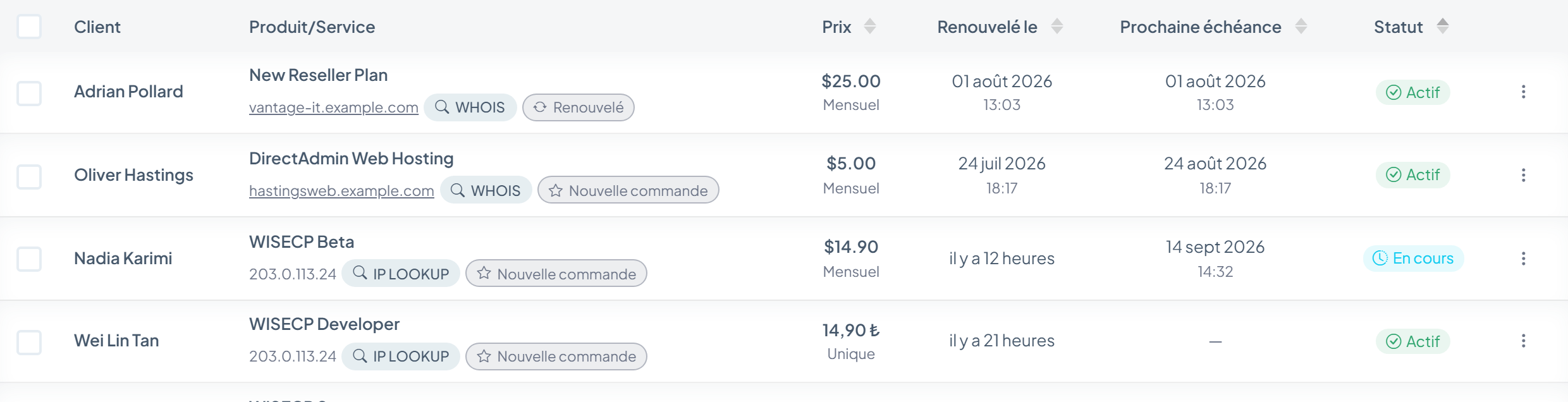
Exploitation des services
L'état du service, son placement et la santé de l'infrastructure restent visibles autour des jobs qui les font évoluer.
Fondations de la file d'attente
La file d'attente enregistre assez de contexte d'exécution pour diagnostiquer un job bloqué, le relancer sans risque et comprendre sa place dans le processus global.
Des clés de job uniques empêchent qu'une même action mise en file d'attente soit créée deux fois.
Le worker responsable et l'état du heartbeat rendent le traitement en cours visible.
Le nombre maximal de tentatives et la planification de la prochaine tentative gardent les échecs sous contrôle.
Les résultats, les métadonnées, les données transmises, les tentatives et les liens parent-enfant restent attachés au job.
Voir en contexte
Ouvrez le tableau de bord de l'automatisation dans la démo d'administration en direct, examinez une tâche et suivez son enregistrement de job jusqu'à la mise en service.